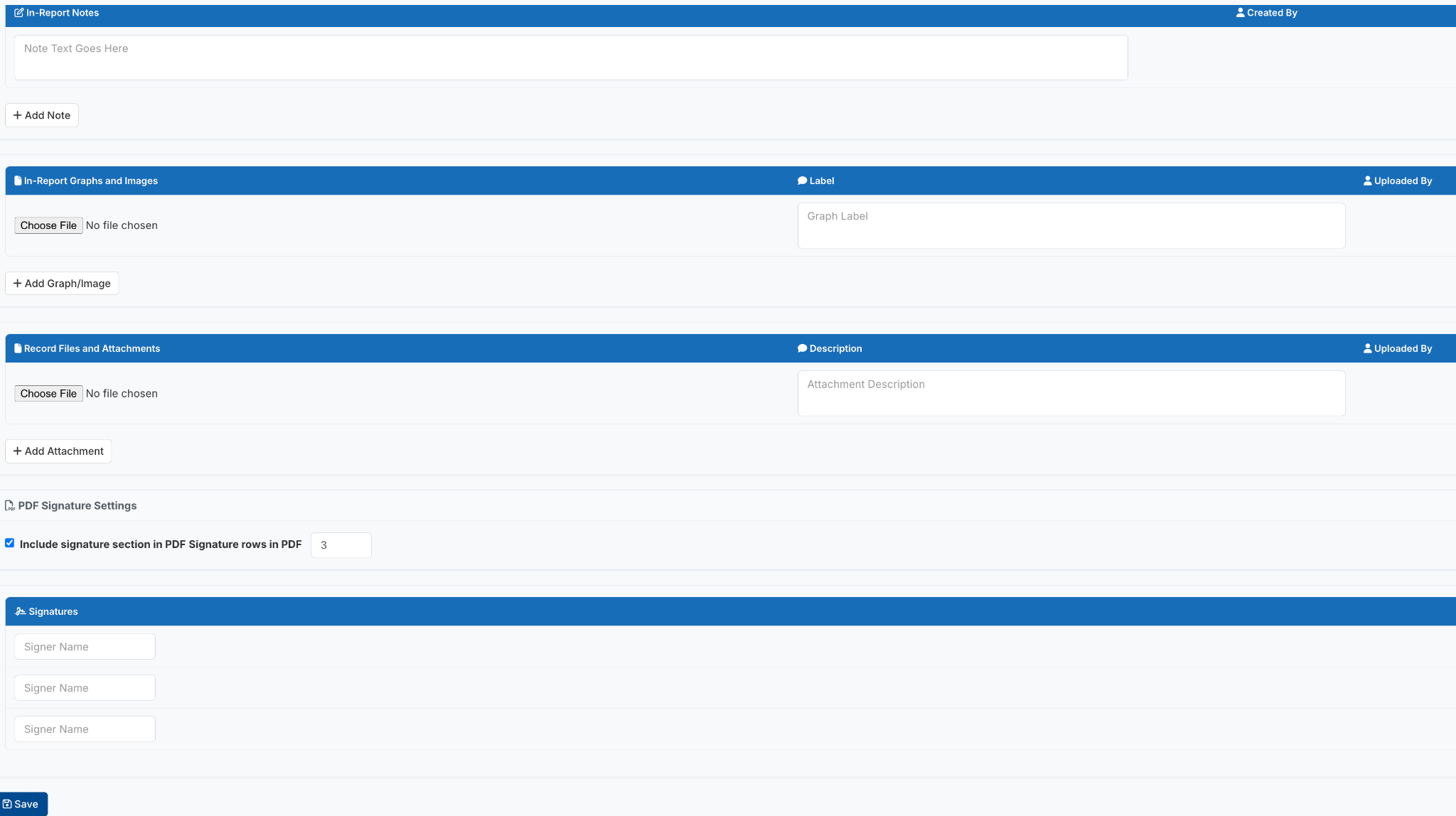
For FBA/BIPs, Notes & Attachments are managed separately for the FBA and the BIP. In-Report Notes and In-Report Graphs & Images will appear only when viewing/printing the Report for the section in which they were saved.
In-Report Notes
Use this section to add additional notes that will appear at the end of the Simple BIP when viewing or printing the report.
In-Report Graphs and Images
Upload PNG or JPG image files to include graphs or images at the end of the Simple BIP report.
Examples may include:
- Progress graphs (e.g., downloaded from Behavior Advantage Data Tools)
- Visual schedules
- Social stories
- First, Then visual supports
Enter a Graph Label to provide a brief description. This label will appear beneath the image in the report.
Note: Embedded images are limited to 1 MB per file and must be in PNG or JPG format.
Record Files and Attachments
Upload files you would like to store electronically with the Simple BIP in Behavior Advantage. Add an Attachment Description to identify each file.
Note: Record Files and Attachments are stored with the Simple BIP but do not appear when viewing or printing the report.
Tip: Consider attaching a completed Simple FBA Form or other supporting documentation so it remains associated with the Simple BIP.
PDF Signature Settings
Customize the signature section displayed when viewing or printing the report.
- Select the number of signature rows to include (default is 3).
- Uncheck Include Signature Section in PDF to remove the signature section from the report.
- Enter the name and/or title for each signer to display beneath the signature line.